The Quad Cities B2B Guide to Toner and Ink: What to Buy, What to Avoid, and How to Stop Overpaying
Most small businesses in the Quad Cities don’t have a toner strategy. They have a habit. The cartridge runs out, someone orders a replacement, and the cycle repeats. Nobody’s running numbers. Nobody’s vetting suppliers. Nobody’s comparing cost-per-page across product lines.
That habit is costing you money every single month, and it’s doing it quietly, in amounts small enough that nobody flags it until the annual budget review.
This guide is for B2B buyers: office managers, operations leads, and small business owners who are responsible for keeping printers running across one location or several. It covers what the different cartridge categories actually mean, how to calculate what you’re really spending per page, where counterfeit product enters the supply chain and what it does to your equipment, and how to set up a supply system that never leaves your team waiting on a shipment when a deadline is six hours out.
No fluff. No upsell. Just the information you need to make better purchasing decisions starting this week.
OEM, Compatible, and Remanufactured: What the Labels Actually Mean
Walk into any office supply conversation and you’ll hear these three terms used interchangeably or incorrectly. They’re not the same product, and the differences matter for B2B buyers managing print volume, equipment warranties, and per-page costs.
OEM Cartridges
OEM stands for Original Equipment Manufacturer. These are the cartridges made by the same company that built your printer: HP cartridges for HP printers, Brother cartridges for Brother devices, Canon for Canon. They’re engineered to exact specifications for that machine’s print head, drum unit, and fuser assembly.
OEM cartridges carry the highest unit cost, typically 40 to 70 percent more than compatible alternatives. For B2B operations, that premium is sometimes justified and sometimes not. The right answer depends on your print volume, device type, and what you’re printing.
Color laser printing for client-facing materials, high-stakes document production, or environments where a print failure has real business consequences: OEM is worth considering. Standard monochrome laser printing at high volume across a fleet of workgroup printers: the calculus is different.
Compatible Cartridges
Compatible cartridges are new cartridges manufactured by third-party companies. They are not refilled originals. They are manufactured from new components, engineered to match the specifications of specific printer models, and in most cases include smart chips that communicate with the printer’s supply monitoring system the same way an OEM cartridge would.
Quality varies by supplier. Verified compatible toner cartridges from a reputable B2B source, tested against ISO/IEC 24711 and 24712 standards, perform at a level that is functionally indistinguishable from OEM for most small office applications. The 40 to 70 percent cost savings at volume add up fast.
The risk is not in the compatible category itself. The risk is in buying from unverified suppliers, which is a separate problem covered in the counterfeit section below.
Remanufactured Cartridges
Remanufactured cartridges start as used OEM shells. They are collected, cleaned, inspected, repaired where needed, refilled with toner or ink, and tested before resale. A properly remanufactured cartridge from a quality operation performs reliably and carries an environmental benefit: the original plastic housing stays out of a landfill.
The word “properly” is doing real work in that sentence. Remanufacturing quality varies more than compatible quality does, because the starting condition of the shell varies. A reputable remanufacturer inspects and replaces worn components. A low-quality operation refills and ships. The difference shows up in your output quality and in how many pages the cartridge actually delivers before it fails.
For B2B buyers with high-volume mono laser printing and a verified local supplier, remanufactured toner is often the most cost-effective and environmentally responsible choice in the lineup.
Cost-Per-Page: The Number That Actually Matters
Most B2B purchasing decisions get made on cartridge price. That’s the wrong number. The number that matters is cost-per-page, and the two figures often point in opposite directions.
How to Calculate Cost-Per-Page
The calculation is straightforward. Take the cartridge price and divide it by the rated page yield.
A $45 standard-yield cartridge rated for 1,500 pages costs $0.030 per page. A $75 high-yield cartridge rated for 4,500 pages costs $0.017 per page. Same printer. Same toner. The cartridge that costs $30 more saves you roughly $0.013 per page, which across 2,000 monthly pages is $26 per month, $312 per year, per device.
Scale that across a five-device office and you’re looking at over $1,500 per year in recoverable cost, just from buying the right yield for your volume. That number doesn’t require a new supplier or a new device. It requires a different SKU.
Standard Yield vs. High Yield: Matching the Cartridge to Your Volume
Standard-yield cartridges are engineered for lower-volume environments, typically under 500 pages per month per device. High-yield (XL) cartridges are designed for workgroup printers running 1,000 pages or more per month.
Buying standard-yield for a high-volume device is the single most common overspend we see in small B2B operations across the Quad Cities. The cartridge price looks lower on the invoice. The monthly cost is significantly higher once you account for how many cartridges you’re burning through.
Pull your print logs for the last 90 days. Most networked printers track page counts by device in the admin panel or through the manufacturer’s software. If you’re printing over 800 pages per month on a device and using standard-yield cartridges, switch to high-yield and run the math. The savings are immediate.
What Ink vs. Toner Means for B2B Cost Calculations
Inkjet and laser operate on fundamentally different cost structures. Ink cartridges for inkjet printers carry lower hardware costs but higher per-page costs, typically $0.05 to $0.15 per page for color printing.
Laser toner cartridges carry higher hardware costs but dramatically lower per-page costs, often $0.01 to $0.05 per page for monochrome output. For any B2B environment printing more than 300 pages per month, laser almost always wins on total cost of ownership over a 3-year horizon.
If your office is running inkjet devices for volume document printing, that’s worth a conversation about equipment, not just supplies.
How Counterfeit Cartridges Enter the Supply Chain
Counterfeit toner and ink is a real and significant problem in the B2B supply chain, and it doesn’t announce itself. A counterfeit cartridge arrives in a box that looks like the real thing. It installs without an error message. It starts printing. And then, somewhere between page 50 and page 300, the problems start.
Where Counterfeits Come From
The vast majority of counterfeit cartridge product originates overseas and enters the market through low-accountability online channels: third-party marketplace sellers, gray-market distributors, and bulk wholesale platforms that prioritize price over verification.
The product is typically manufactured with substandard toner formulations that don’t match the fuser temperature requirements of the target printer. The toner either fails to bond properly to the page, producing smearing and fading, or it creates excessive heat buildup in the fuser assembly, which shortens fuser life significantly and in some cases causes permanent damage.
Smart chip counterfeiting is increasingly common. A chip that communicates false supply levels to the printer doesn’t just give you inaccurate readings. It can mask error states that would otherwise alert you to a problem before damage occurs.
What Counterfeit Product Actually Costs You
The visible cost is the cartridge that fails at 400 pages instead of 2,000. The less visible costs are harder to quantify until they show up on a repair invoice.
Fuser replacement on a mid-range laser printer runs $150 to $350 in parts and labor. Drum unit damage from abrasive toner formulations can add another $80 to $200. In cases where counterfeit product causes repeated fuser failures or printhead damage in inkjet devices, the repair cost exceeds the device’s replacement value.
There’s also a warranty dimension. Most printer manufacturers explicitly void the device warranty when third-party supply damage is the identified cause of failure. A reputable compatible supplier’s product doesn’t trigger this. A counterfeit does. The distinction matters when your repair technician is diagnosing the cause.
How to Verify Your Supplier
For B2B buyers in the Quad Cities, supplier verification comes down to three questions. Does the supplier carry product tested to ISO 9001 manufacturing standards and ISO/IEC 24711/24712 yield standards? Do they stand behind the product with a warranty that covers device damage caused by their cartridges? And can you call a real person when something goes wrong?
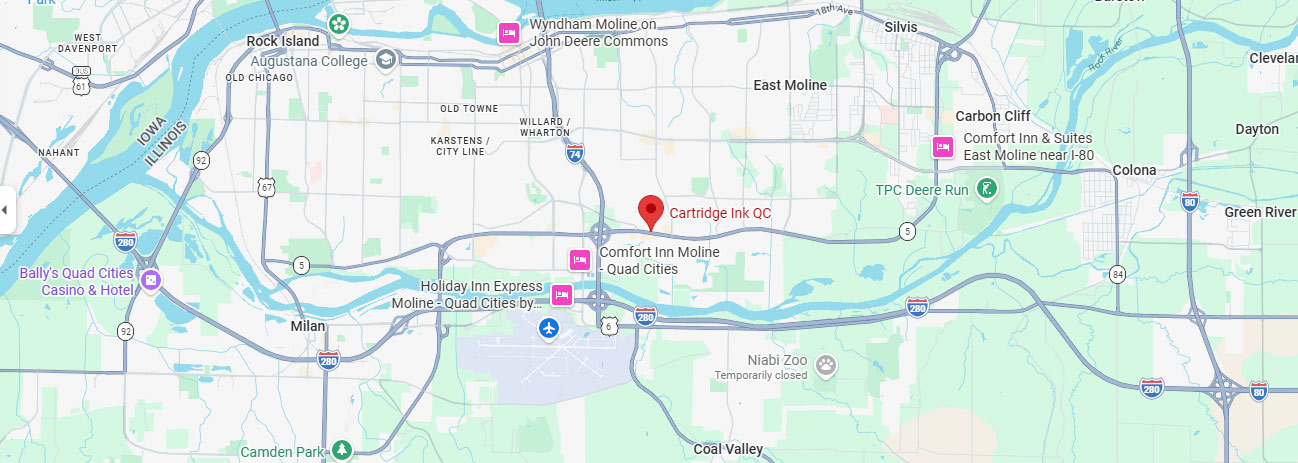
Marketplace sellers and bulk import platforms fail on all three counts. A local B2B supplier with 20-plus years in the market and a physical address in Moline does not. That accountability structure is the practical difference between verified supply and gray-market risk.
Firmware Compliance: The Cartridge Problem Nobody Talks About
Printer manufacturers push firmware updates that are designed, in some cases, to reject third-party cartridges. HP has done this repeatedly. The update installs automatically on networked devices, and the next morning your office manager shows up to a printer that won’t recognize the compatible cartridges that worked fine the day before.
This is not an argument against compatible cartridges. It’s an argument for buying from a B2B supplier who tracks firmware updates and maintains cartridge chip compatibility across product lines.
A reputable supplier monitors manufacturer firmware releases and updates their compatible chip formulations accordingly. When you buy from a verified local source rather than a marketplace seller, you’re buying from someone who has a stake in the product working after the next update, not just at the time of sale.
For business printers on auto-update settings across a networked office, this is worth a direct conversation with your supplier before the problem occurs rather than after.
Building a B2B Supply System That Doesn’t Leave You Short
Running out of toner mid-job is not a printer problem. It’s a supply chain problem. And it’s entirely preventable with a system that takes about 20 minutes to set up and zero time to maintain once it’s running.
The 20 Percent Reorder Rule
Most printer management software and networked device dashboards allow you to set supply alerts. Set yours at 20 percent, not at the default low-toner warning, which typically fires at 10 percent or below.
The difference matters because 10 percent in a high-volume environment can be consumed in a single afternoon. Twenty percent gives you 2 to 5 business days of buffer depending on your print volume, which is enough time to receive a same-day or next-day local order without any operational disruption.
The One Spare on the Shelf Rule
For every device in your office that prints more than 500 pages per month, keep one spare cartridge on the shelf at all times. When you install the spare, reorder immediately. You are never in a position where the printer is down and the replacement is in transit.
This is basic inventory management applied to print supplies. The cost of carrying one spare cartridge per device is minimal. The cost of a two-hour workflow stoppage while you wait for an emergency delivery is not.
Calculating Your Monthly Consumption
Pull 90 days of page count data from your printer admin panel or manufacturer software. Divide by 3 to get your monthly average. Divide the cartridge’s rated page yield by your monthly average to get how many months each cartridge lasts.
If a cartridge lasts 1.5 months at your volume, you need roughly 8 cartridges per year per device. That’s a number you can build into a standing order or annual supply budget with precision, rather than reacting to a low-toner light every time it fires.
Standing Orders and Local Supply Options
For B2B operations running multiple devices across one or more Quad Cities locations, a standing supply arrangement with a local provider is worth setting up. It eliminates the per-order decision-making, locks in consistent pricing, and ensures same-day availability when something goes sideways.
High-performing B2B suppliers in this market offer same-day shipping with order cutoff times in the afternoon, which means a cartridge ordered by mid-morning is on your desk the same day. For emergency situations, local pickup is available the same hour. That’s a different service tier than a national fulfillment warehouse shipping from a distribution center in another state.
The B2B Cartridge Decision Framework
Pull this out the next time you’re making a supply decision for your office.
- Step 1: Identify your monthly page volume per device. Pull 90-day data from the printer admin panel. Divide by 3.
- Step 2: Calculate cost-per-page for your current cartridge. Cartridge price divided by rated yield.
- Step 3: Compare standard yield vs. high yield at your volume. If you’re over 800 pages per month, high-yield almost always wins on cost-per-page.
- Step 4: Evaluate OEM vs. compatible for your use case. High-stakes color output: consider OEM. Volume monochrome laser: verified compatible is the cost-effective call.
- Step 5: Verify your supplier. ISO certifications, firmware compliance track record, warranty coverage, and local accountability.
- Step 6: Set up your reorder trigger and shelf stock. Alert at 20 percent. One spare per device. Reorder when you install the spare.
The Quad Cities B2B Resource Series
This guide is part of a monthly series for small businesses across Davenport, Bettendorf, Moline, Rock Island, and the surrounding area. Each month we publish a pillar guide and four supporting articles on the operational decisions that keep your print environment running without costing you more than it should.
- Week 1: OEM vs. Compatible vs. Remanufactured: What’s Actually Different and When It Matters
- Week 2: The Cost-Per-Page Truth: Why the Cheapest Cartridge Is Usually the Most Expensive One
- Week 3: How Counterfeit Cartridges Get Into the Supply Chain and What They Cost You
- Week 4: How to Set Up a Standing Toner Order and Never Run Out Mid-Job Again
CartridgeInkQC.com supplies toner, ink, and B2B printer services to small businesses across the Quad Cities. We stock verified compatible and OEM product, offer same-day availability on most cartridge lines, and provide on-site printer maintenance when the supply issue turns out to be something else. Call us at 309-751-8281 or visit CartridgeInkQC.com.